Automated QA for web teams
Your client shouldn't be your QA team.
Frank scans every page of your build for lorem ipsum, broken links and missing alt text, lines each page up with its Figma design — then hands you a scored report of everything to fix before your client sees it.
- Set up in 30 seconds
- Unlimited scans
- No code required
No more manual QA
Everything you'd check manually. Done in seconds.
Manual QA is slow, inconsistent, and easy to skip when deadlines are tight. Frank does the tedious bit automatically, so the only thing your client finds on launch day is a site that works.
Every check, every page
See it on your own site.
Paste a staging URL and run your first scan in minutes. Every plan includes unlimited projects and unlimited scans.
- Set up in 30 seconds
- Unlimited scans
- No code required
Up and running in minutes
Four steps. Quick setup. No faff.
From staging URL to a scored report before your coffee's gone cold.
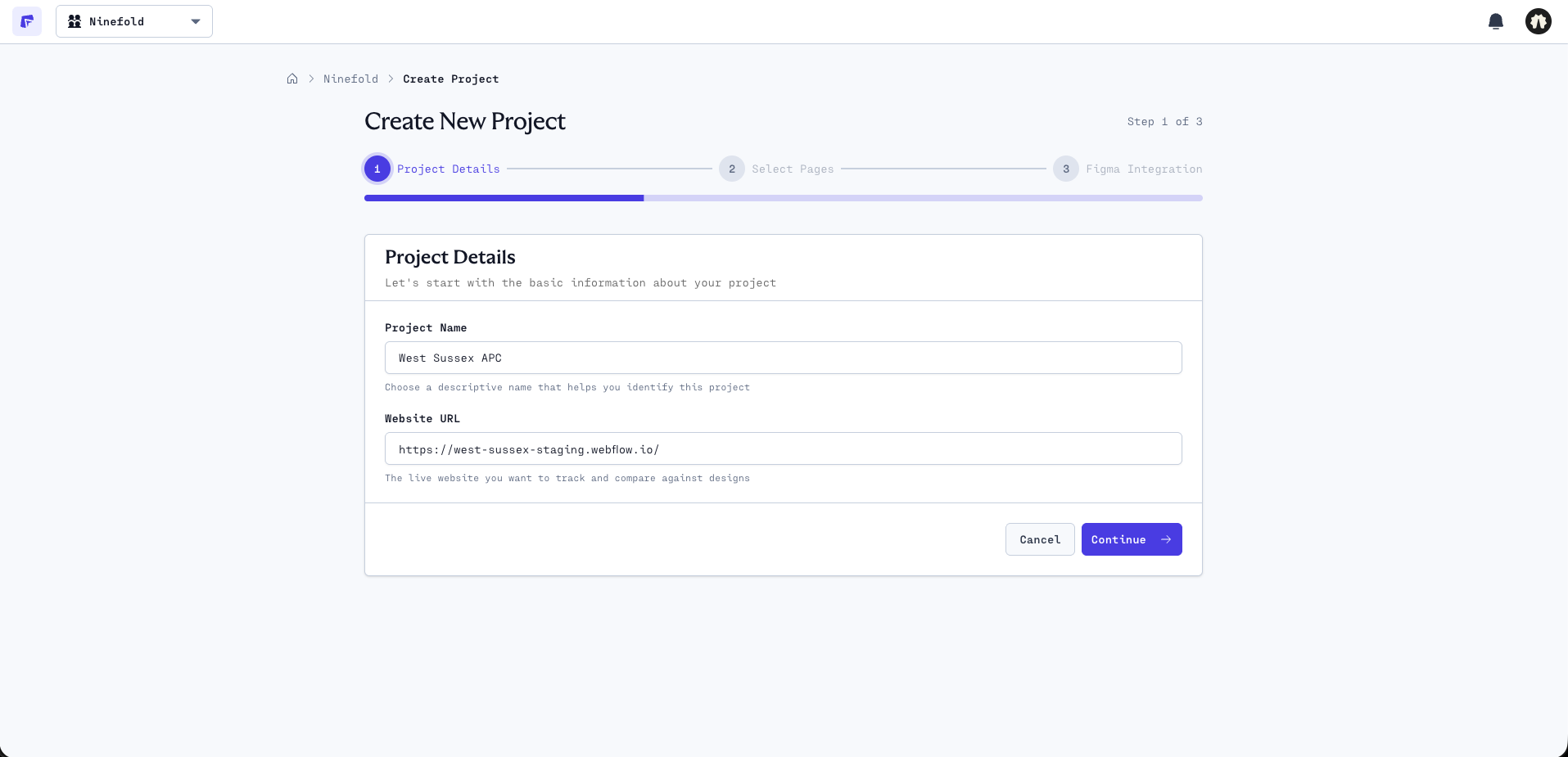
- 01
Create a project
Name the project and paste your staging URL. Takes 30 seconds.
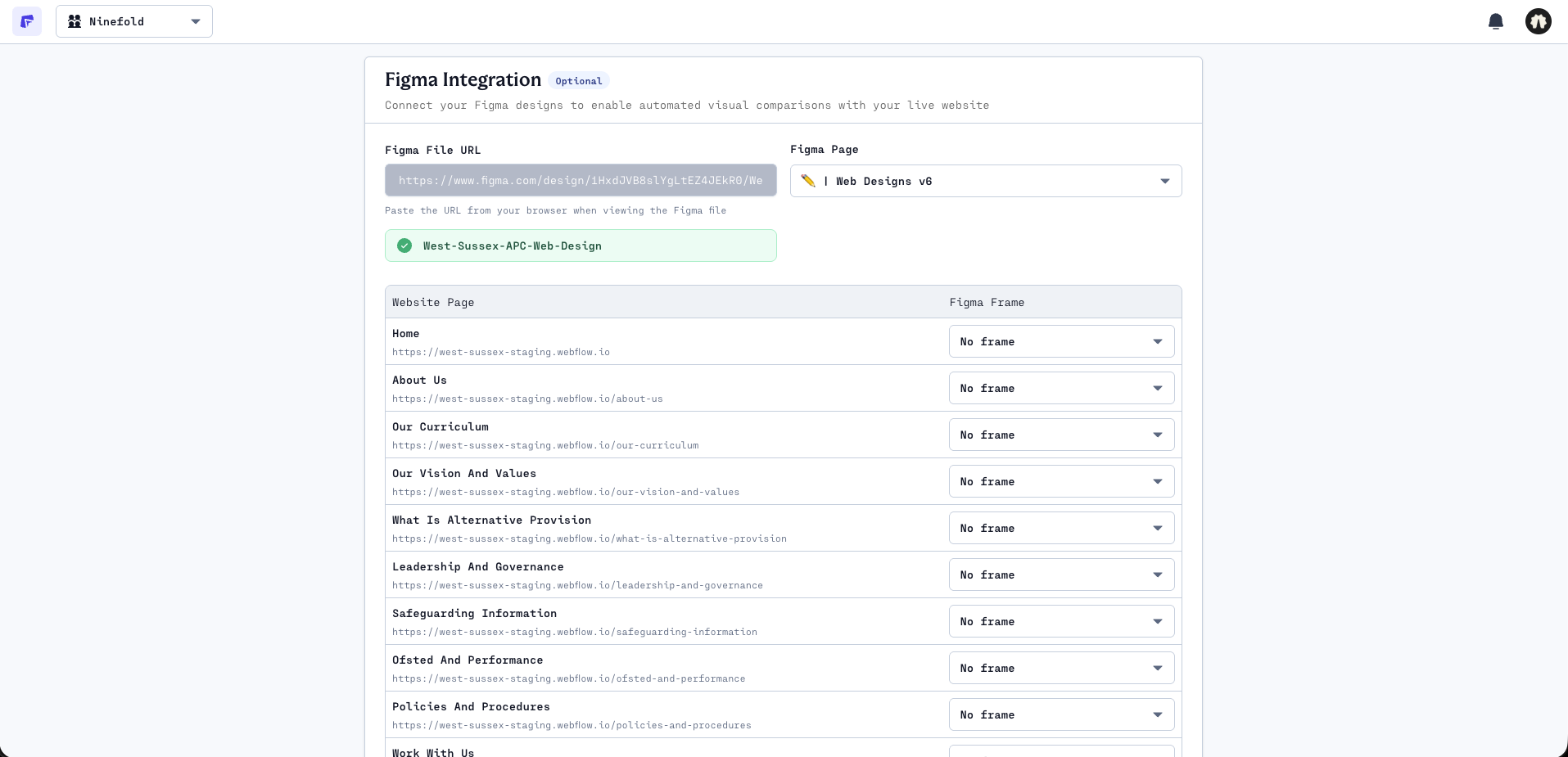
- 02
Map your Figma pages
Optional: connect your Figma file and match each page from your sitemap to its design.
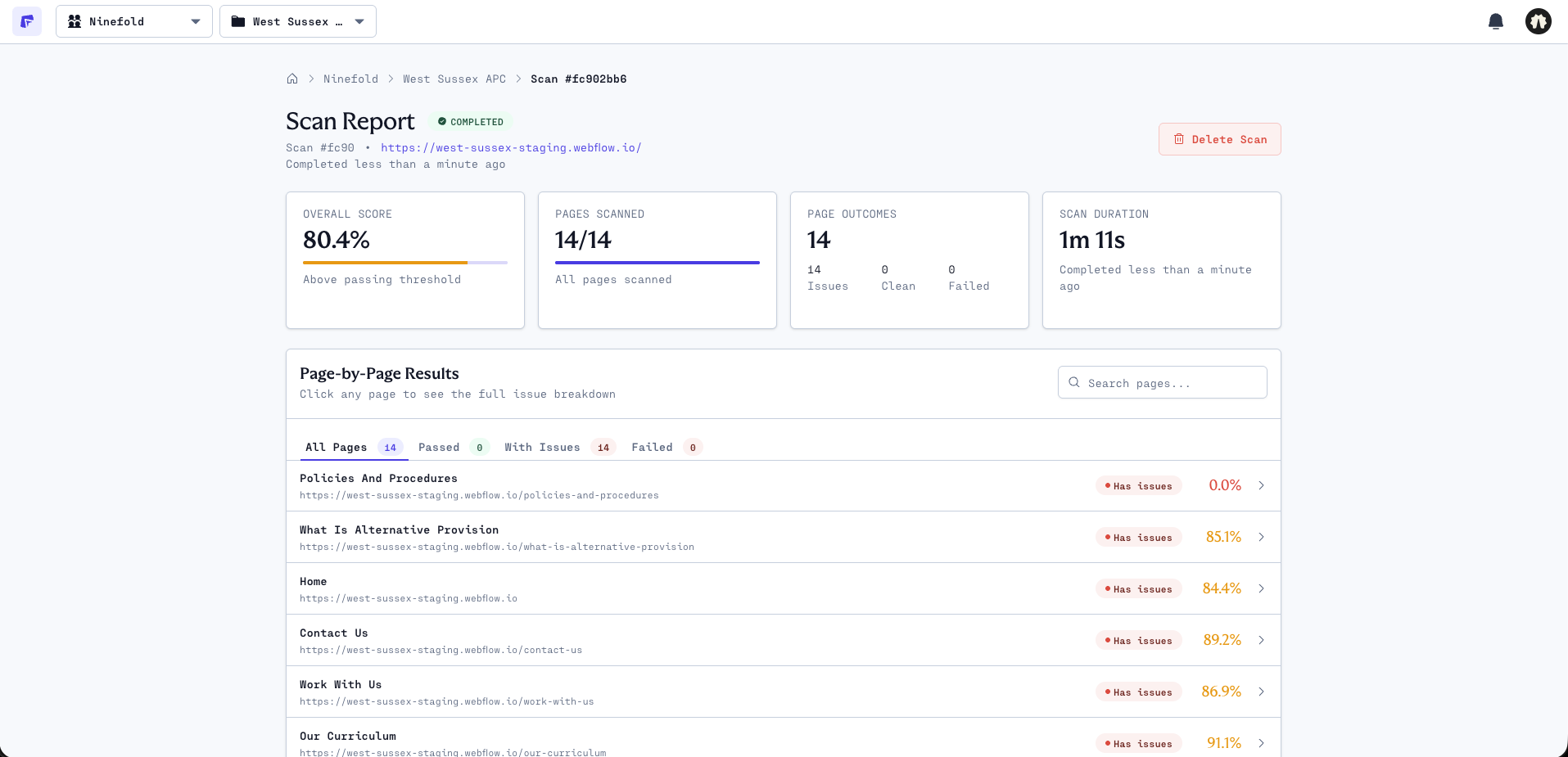
- 03
Run a scan
Frank checks every page for lorem ipsum, broken links, alt text and accessibility, and scores each one out of 100.
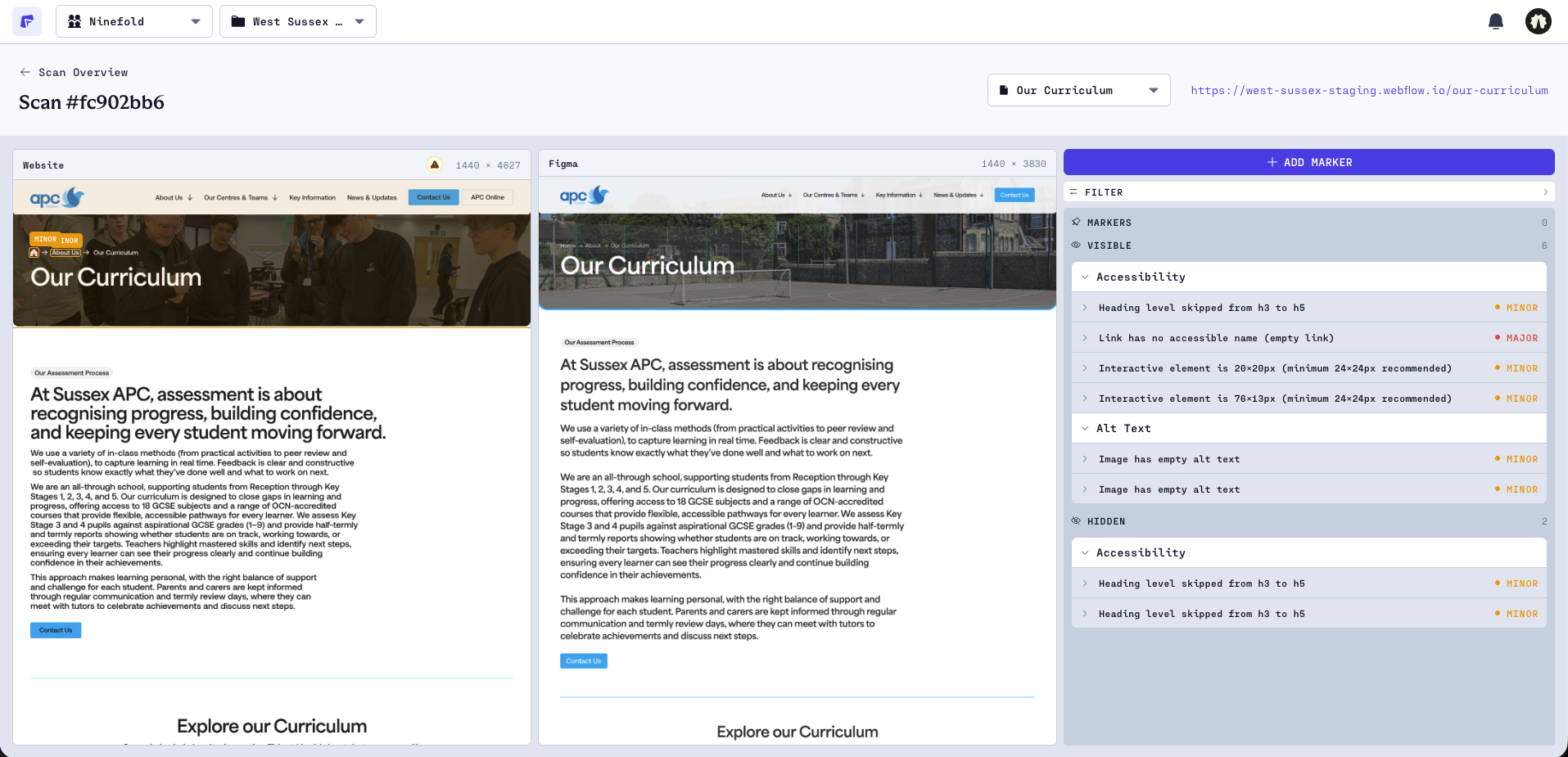
- 04
Review page by page
Open any page to see its issues side by side with its Figma design, then pin markers for anything your team needs to pick up.
Good questions.
Everything you need to know about Frank.
Frank is an automated QA tool for web agencies and freelancers. Connect your staging URL and Figma file, run a scan, and Frank checks for lorem ipsum, broken links, missing alt text and accessibility issues, shows each page side by side with its Figma design, then gives every page a score so you know exactly what to fix.
Plans start from £39/month for freelancers, with Agency and Enterprise plans for bigger teams. Every plan includes unlimited projects and unlimited scans. See pricing.
Frank checks every page for lorem ipsum, broken internal and external links, missing alt text, accessibility issues like skipped headings and unlabelled form fields, and forms. When you link a Figma file, it also shows each page side by side with its design. New checks ship regularly — see the changelog for what's new.
You connect your Figma file and map each site page to its corresponding Figma frame. Frank stores your file ID, page ID, and the specific frame IDs you've mapped, nothing more. It uses this to show each live page side by side with its approved design.
Frank stores your Figma file name and ID, the specific page and frame IDs you map to your site, your site's base URL, and a list of your site pages matched to their corresponding Figma frames. It does not store the contents of your Figma file or any site content beyond URLs.
No. Frank is built for designers, project managers, and agency teams as much as developers. If you can paste a URL, you can use Frank.
Manual QA is slow, inconsistent, and easy to skip when deadlines are tight. Frank runs the same checks every time, across every page, in seconds. It doesn't get tired and it doesn't miss the lorem ipsum on the Blogs page.
Create an account, pick a plan from the pricing page and paste your staging URL. Connecting your first build takes about 30 seconds.
Founding Members are the teams who join Frank early. Sign up on any plan while founding rates are available and your price is locked in for as long as you stay subscribed: £39/month for Freelancer (usually £59) or £119/month for Agency (usually £139). Every plan includes unlimited projects and scans. See pricing.
Stop finding out what's broken from your client.
Run your first scan in minutes. Every plan includes unlimited projects and unlimited scans, so QA never becomes the thing you skip.
- Set up in 30 seconds
- Unlimited scans
- No code required